
Workflow
acoust IQ reliably guides you through the entire workflow of an acoustic measurement.
Sound Level Meter as App
acoust IQ offers the full functionality of a Class 1 measurement device,
enhanced with remote access, multi-channel measurements, and psychoacoustic analysis.
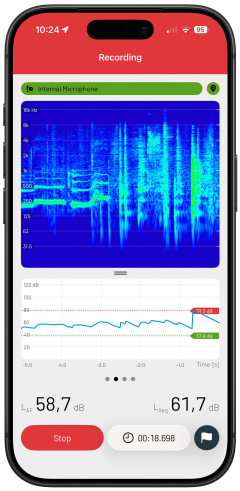
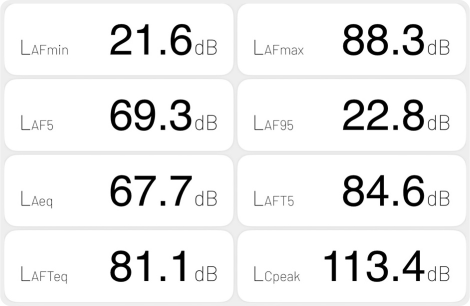
All Level Values at a Glance
Measure and monitor the level values relevant to your measurement.
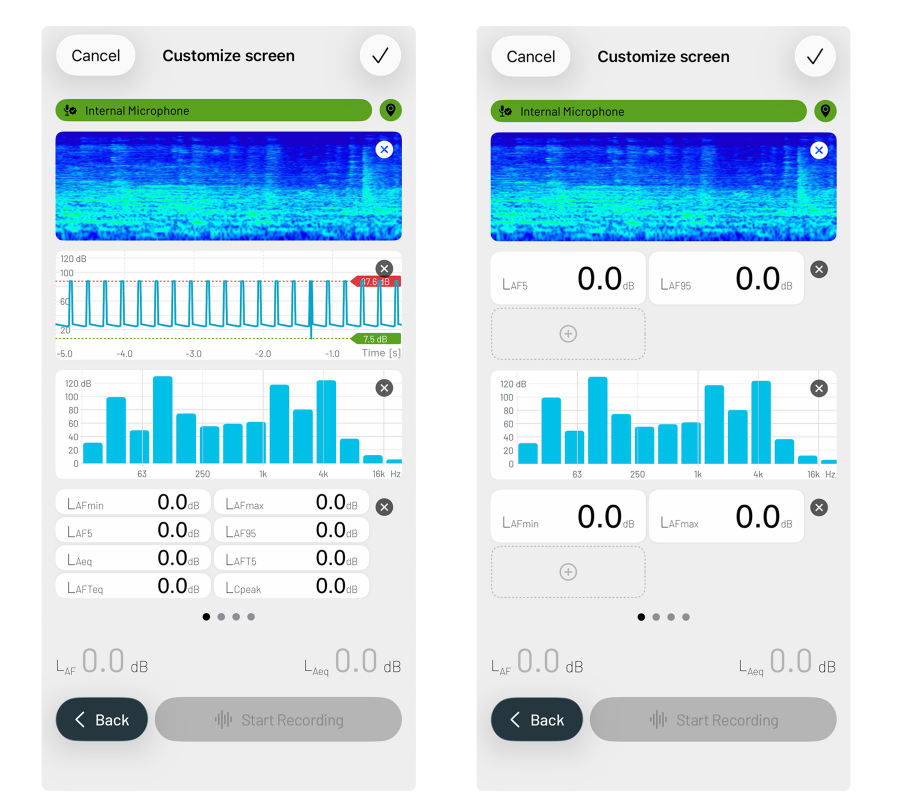
Individual Display
acoust IQ condenses raw data into all common metrics and presents them in freely selectable display formats – from level-time history to one-third octave spectrum.
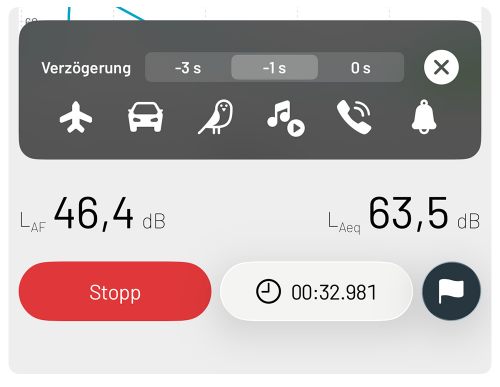
Every Measurement Point, Precisely Marked
Set start and stop times as well as markers during the measurement.
Single Measurement or Measurement Project
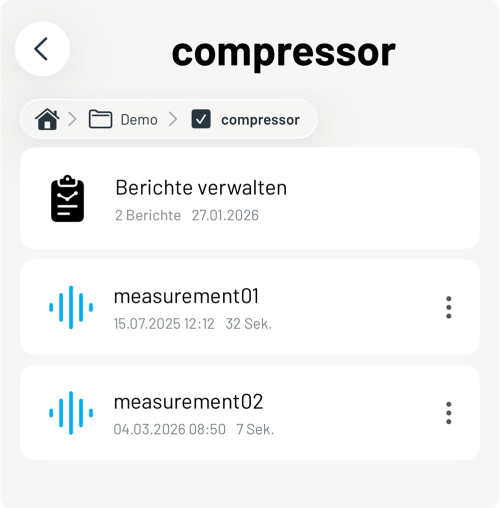
Manage individual measurements or complex measurement projects with multiple measurement points centrally in the app. All data, metadata, and results remain organized by project and accessible at any time.

GPS Position
Capture the measurement location automatically as a point or path – directly during the measurement. GPS coordinates are uniquely assigned to the measurement and documented without gaps.
Psychoacoustics
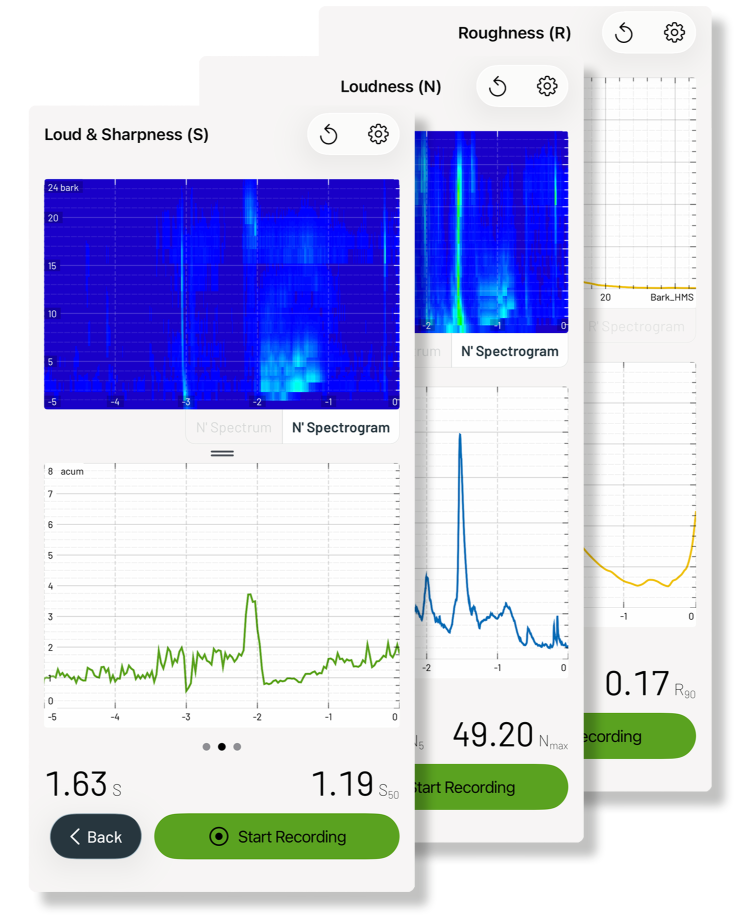
Measure psychoacoustic parameters to assess human perception. Currently, the following parameters are evaluated: loudness, roughness, and sharpness. Additional metrics such as tonality, Speech Transmission Index (STI), and STIPA will follow.
Unlimited Collaboration
acoust IQ connects measurement technicians and experts for seamless collaboration.
Benefit from centralized data access in the cloud, web-based remote control of measurements, and efficient digital workflows.
Remote Control of Measurements
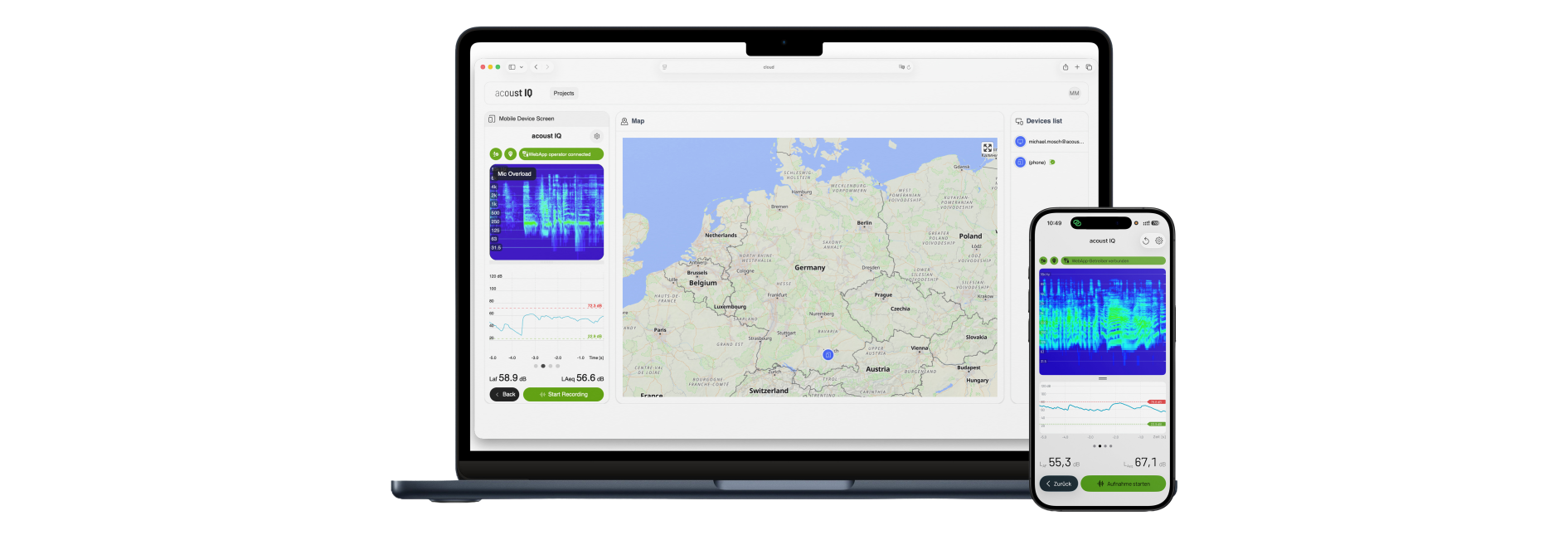
Control measurements conveniently via a web browser while an on-site specialist positions the microphone. Save travel time and deploy expert knowledge efficiently with acoust IQ live.
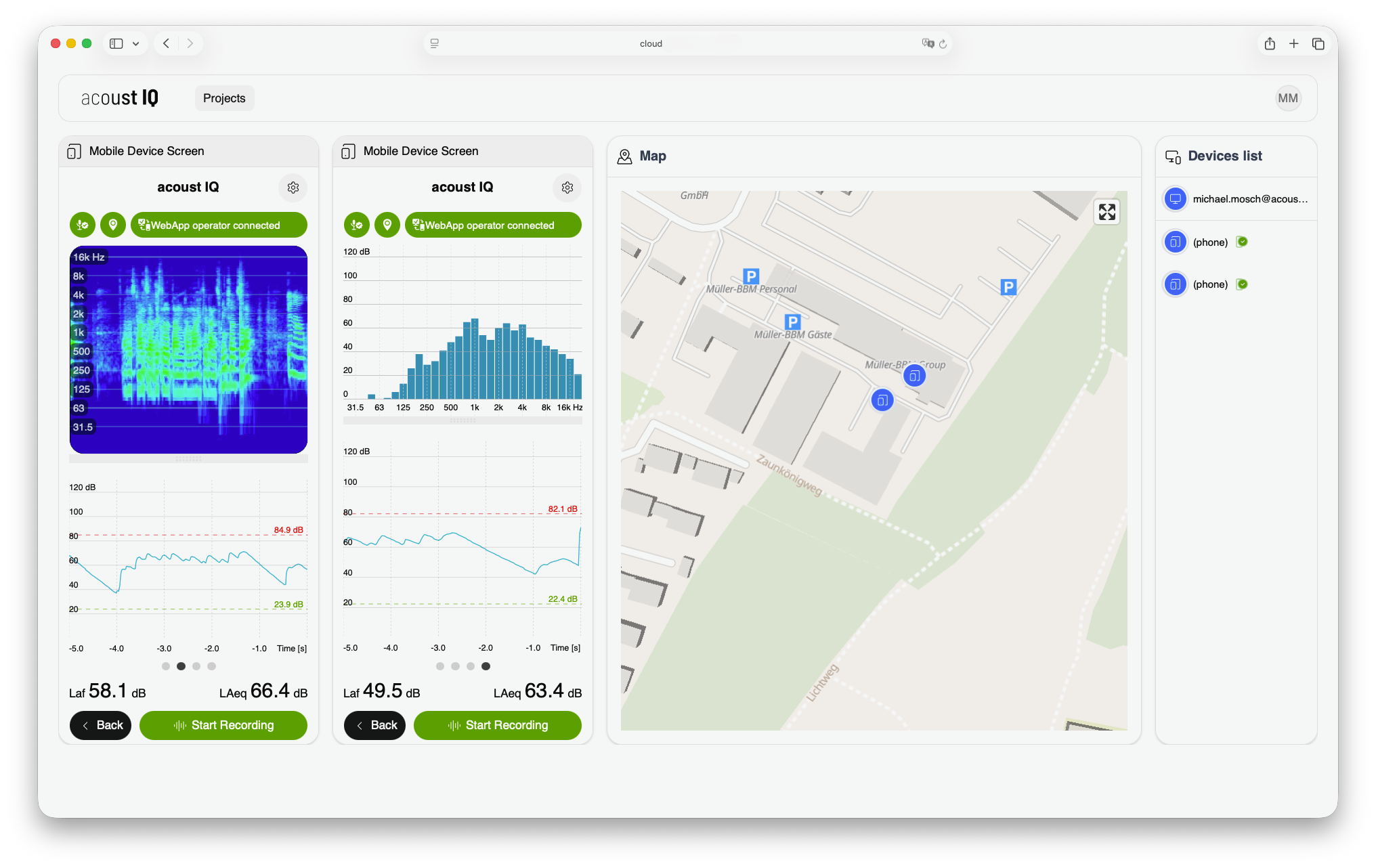
Multi-Channel Measurements
Synchronize multiple acoust IQ systems for wireless multi-channel measurements. Position measurement points independently and at large distances with acoust IQ live – ideal for complex measurement scenarios.
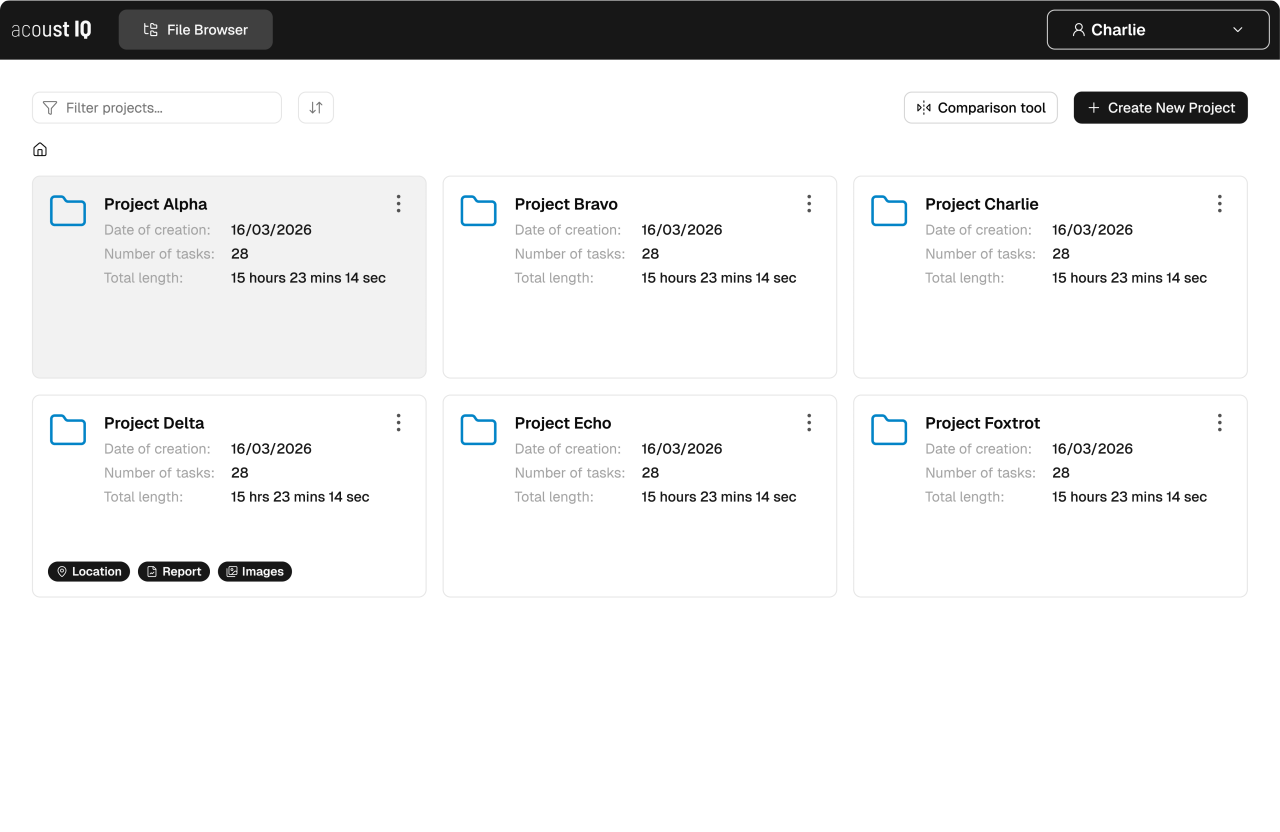
Centralized Data Access
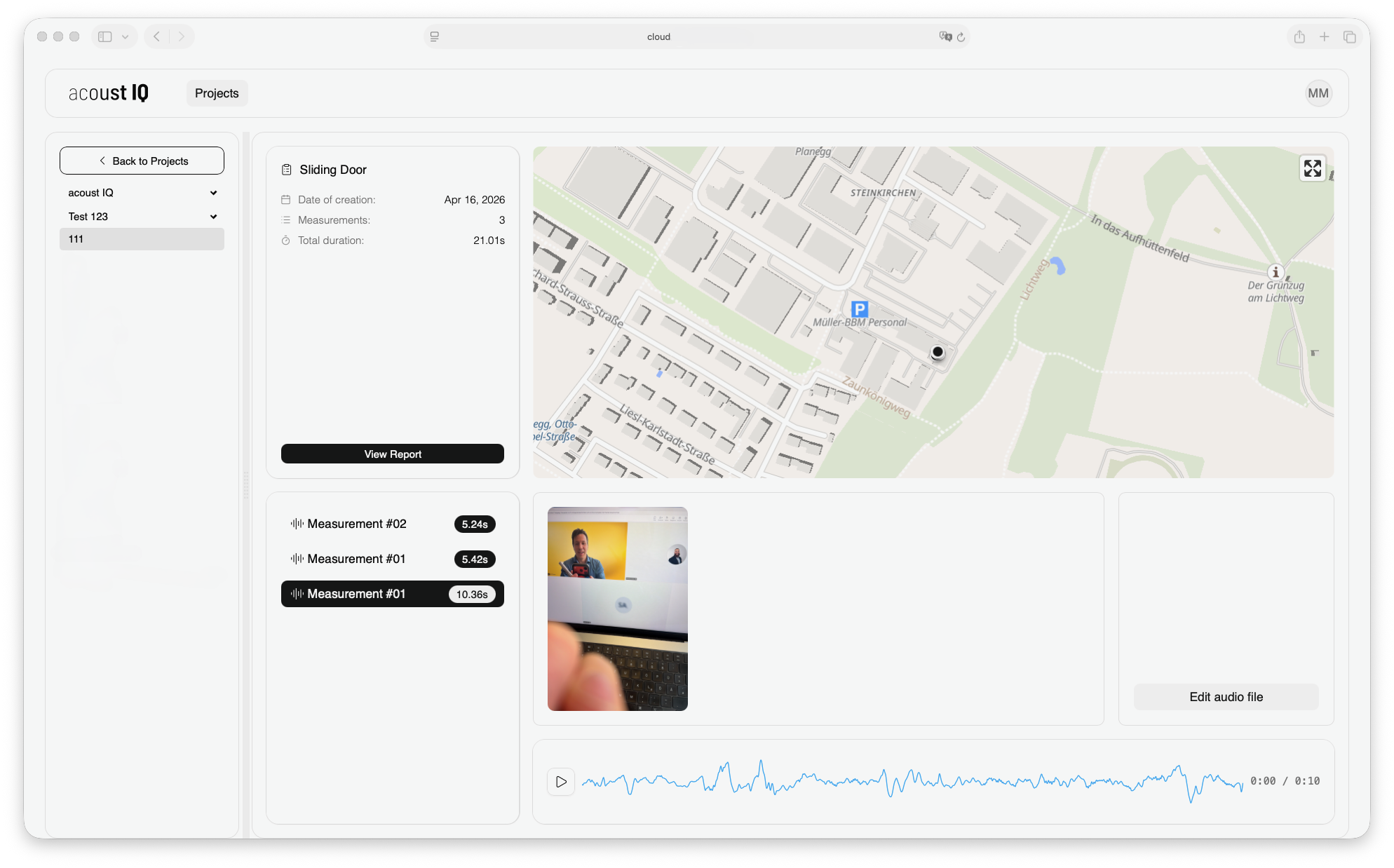
Upload measurement data automatically to the cloud with acoust IQ pro. The entire team accesses the centralized data via a web browser, always working with the most up-to-date information.
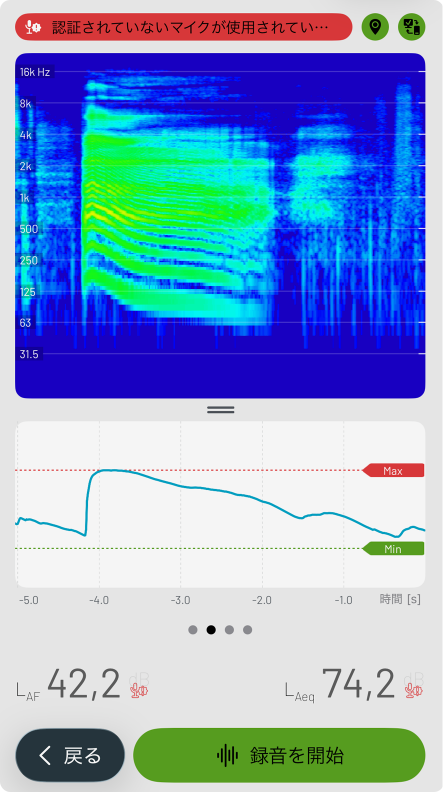
International Teams
The multilingual capabilities of acoust IQ live ensure clear communication across language barriers. Instructions are correctly understood on site – regardless of the local language.
Seamless Documentation
acoust IQ captures all relevant measurement data and metadata in a
continuous, digital workflow – directly during the measurement, without media breaks.
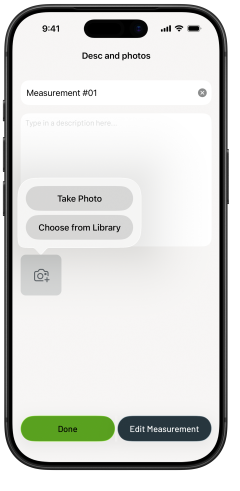
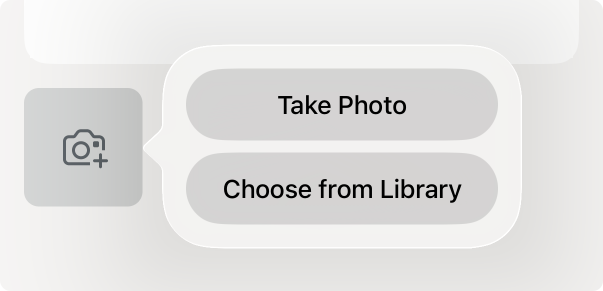
Photos and Descriptions
Document the measurement situation with photos and add descriptions directly in the app. All information is automatically assigned to the respective measurement.
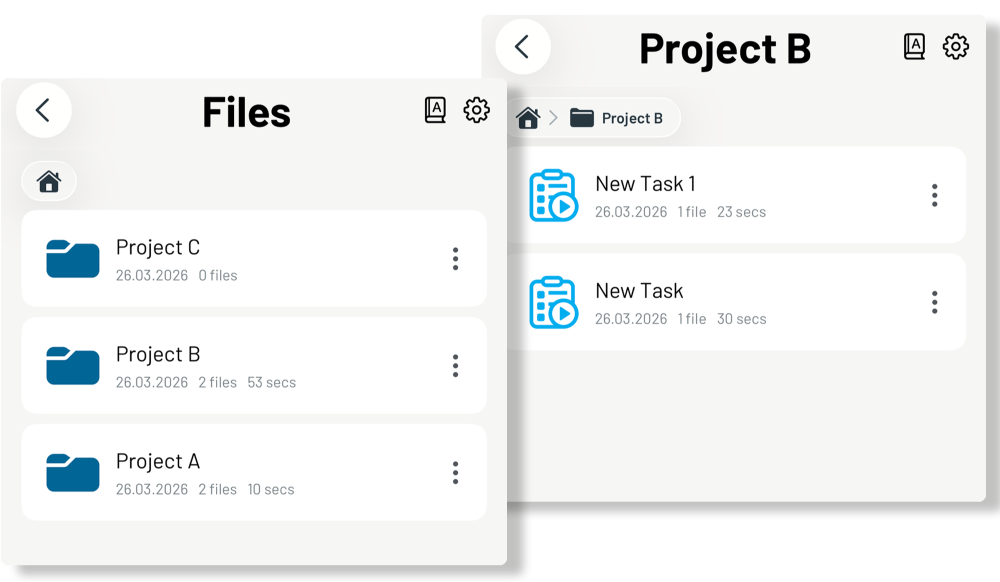
Clear Project Structure
Organize measurements in a clear structure of projects, tasks, and individual measurements. All data, photos, and metadata remain bundled by project and accessible at any time.
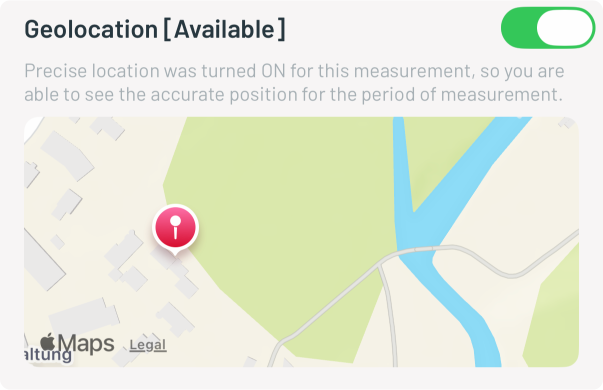
Automatic Metadata
GPS coordinates, timestamps, and device settings are automatically captured and assigned to the measurement. This creates complete and traceable documentation – without any manual effort.
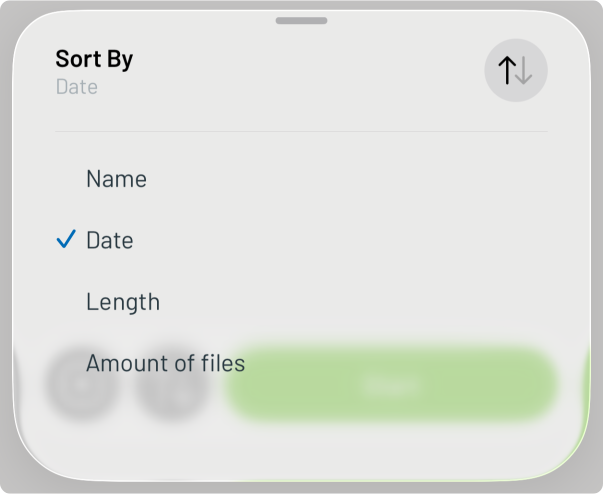
Sort and Filter Measurements
Sort your measurements by name, date, duration, or quantity – for a quick overview, even with extensive measurement projects. This way, you and your team always maintain a clear overview and find relevant data instantly.
Share Data – Simply and Flexibly
acoust IQ offers versatile export options to share measurement data,
metadata, and reports quickly and conveniently with project stakeholders.
Choose Individually
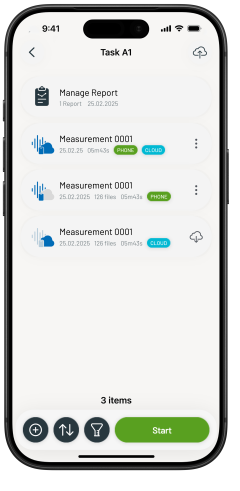
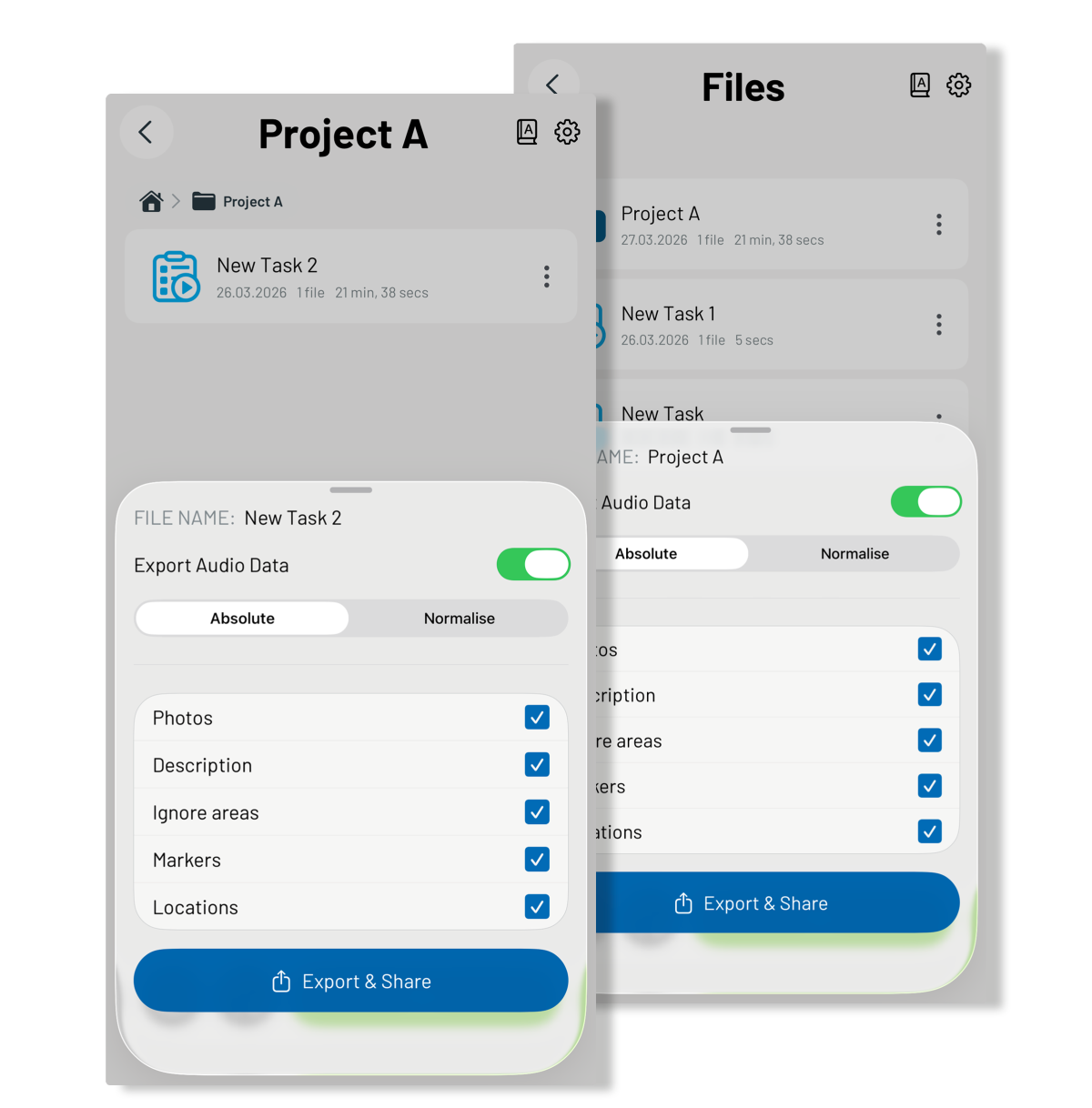
Share entire projects or individual measurements. Decide which data to include – images, audio files, markers, location data, or descriptions. The export is conveniently provided as a ZIP file.
Share via the Cloud
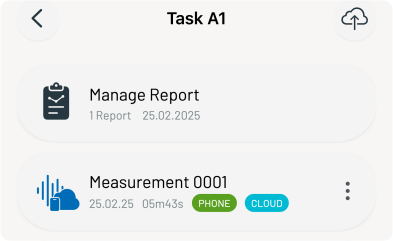
With acoust IQ pro, you can make measurement data available across organizations and projects via the cloud. All stakeholders access the data via a web browser – independent of location and without additional software. A custom interface enables seamless integration into existing analysis and data management systems.
Share via AirDrop, Email & Messages
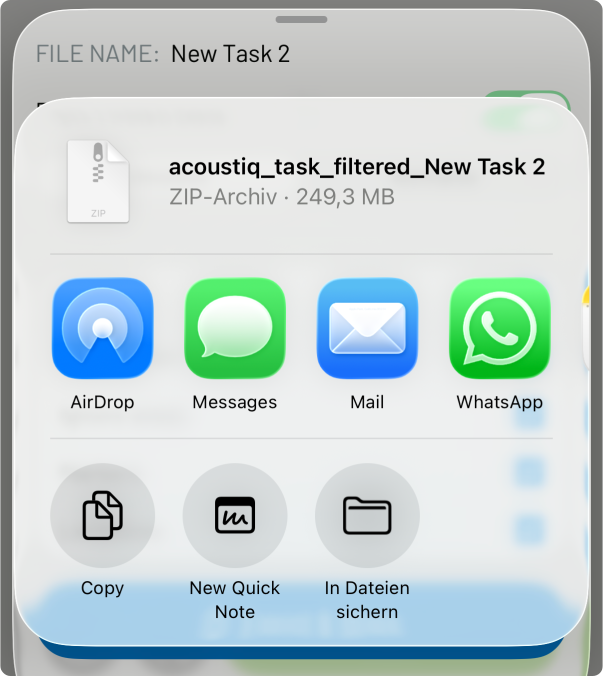
Share measurements directly from the app – via AirDrop, email, messages, OneDrive, or Dropbox. Fast, flexible, and without detours.
Edit without data loss
acoust IQ enables the subsequent editing of measurement data – without
altering the original data. All modifications remain transparent and traceable.
Original Data Remains Intact
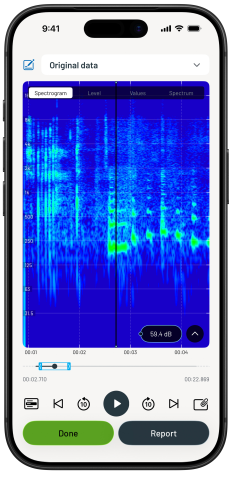
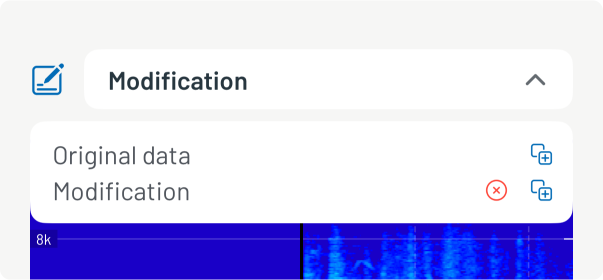
All edits in acoust IQ are non-destructive. The original data is fully preserved and can be accessed at any time via the dropdown menu. Each modification is saved as a separate step and can be individually named.
Listen to and Analyze Measurements
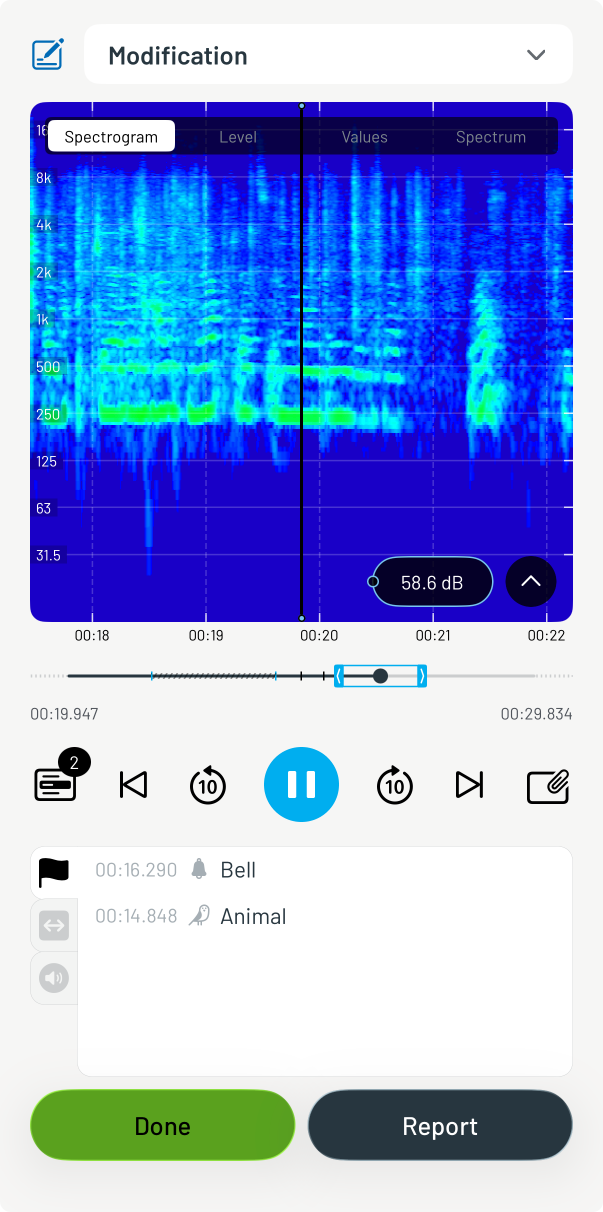
Listen to the recorded measurement directly in the integrated audio player and switch between spectrogram, level history, value display, and one-third octave spectrum. This allows you to identify relevant sound events quickly and precisely.
Ignore Sections
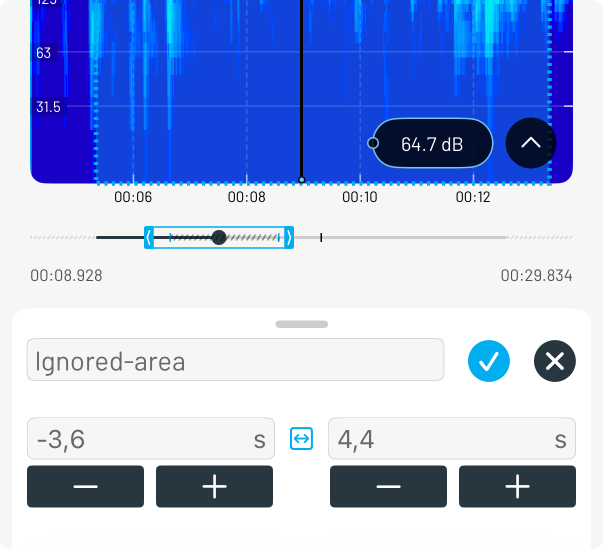
Exclude noise interference or irrelevant sections from the calculation of averaged levels after the fact. The ignored sections are visually marked in the level history – level values are automatically recalculated.
Automated Report Generation
acoust IQ generates professional test reports from your measurement data
and metadata at the push of a button – directly in the app, without additional software.
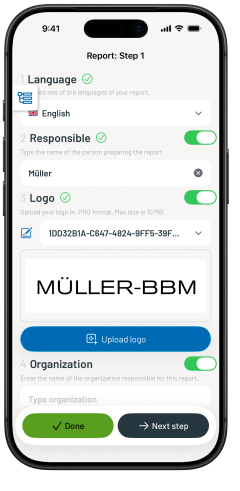
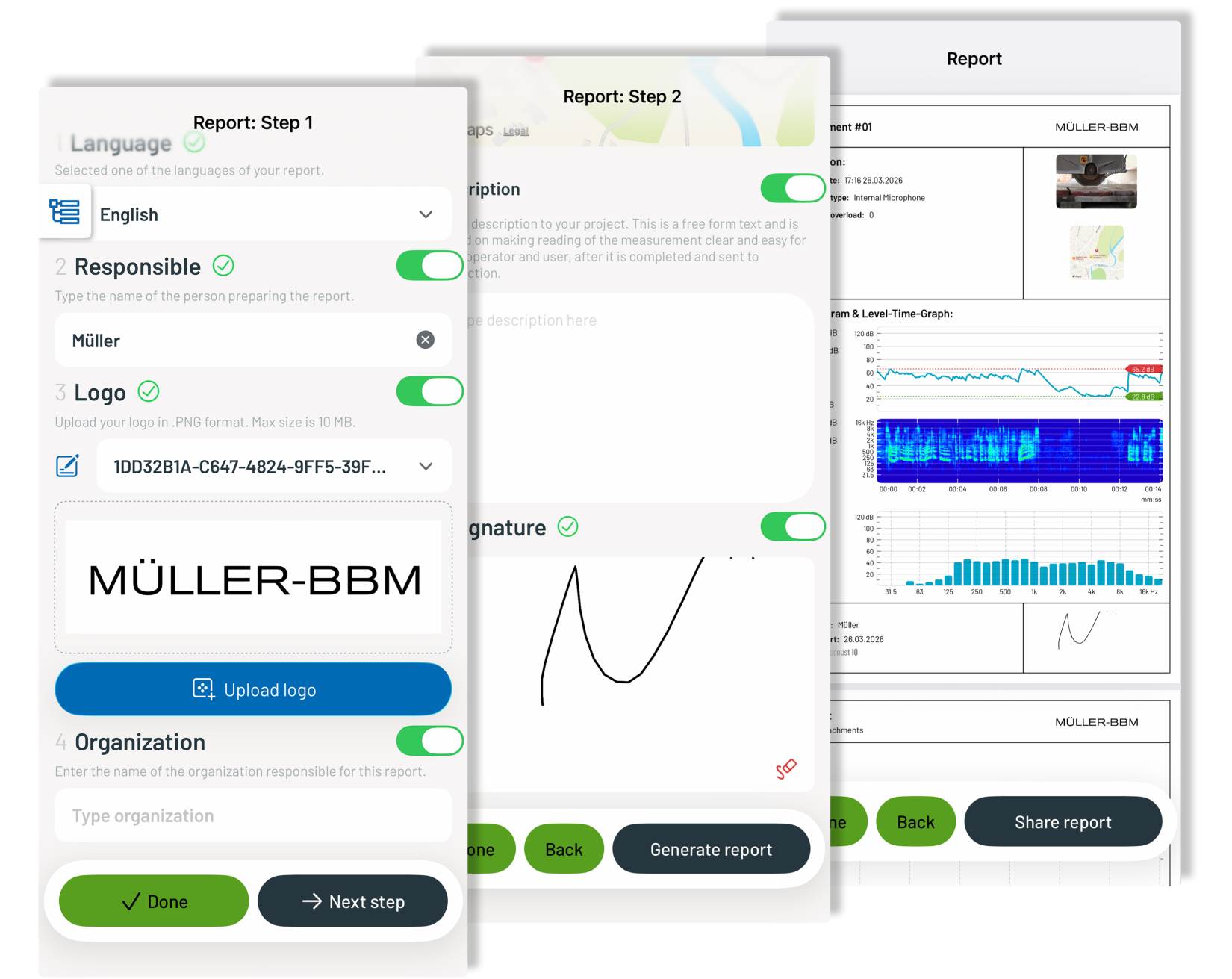
Report in 3 Steps
The integrated report generator guides you to your finished PDF in three simple steps: Enter recurring information such as organization, logo, and responsible person; select measurements and display options; generate the report.
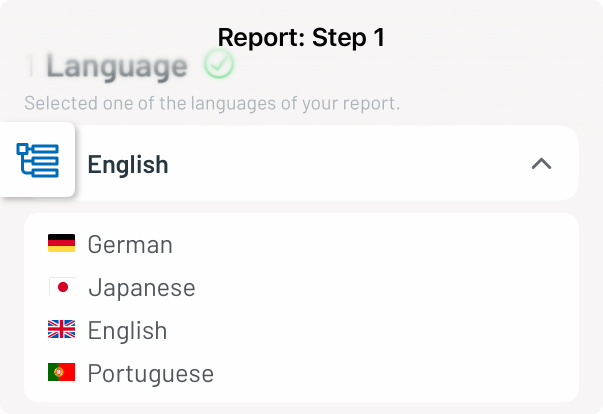
Choose Report Language
Create your report in the language that suits your project – currently available in German, English, Japanese, and Portuguese. Ideal for international projects and communication with clients worldwide.
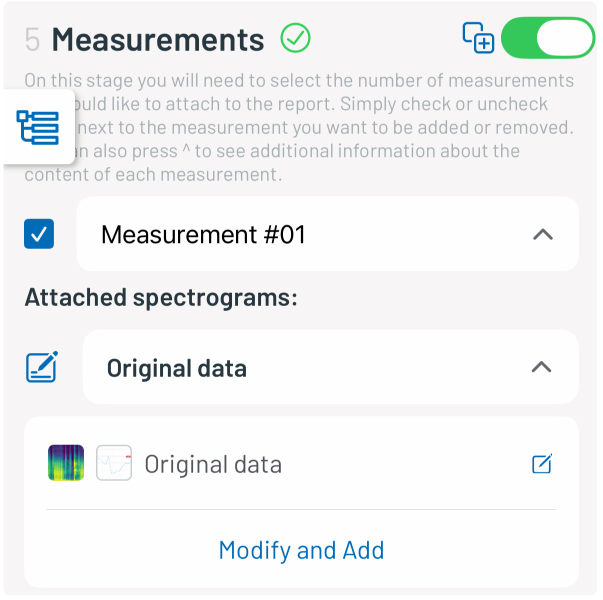
Compile Measurements Flexibly
Select precisely which measurements and modifications are included in the report. Spectrograms, level values, photos, geolocation, and descriptions can be individually shown or hidden.
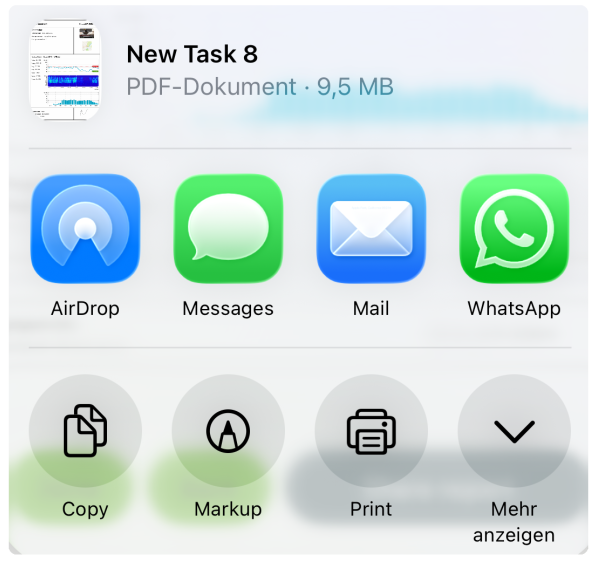
Manage and Share Reports
Create multiple reports per measurement, edit existing reports retroactively, and share the finished PDFs directly from the app. All reports remain organized in the file management and accessible at any time.
Interested? – We’re here to help you find the best solution for your acoustic measurement needs.